1
2
3
4
5
6
7
8
9
10
11
12
13
14
15
16
17
18
19
20
21
22
23
| Windows XP / 2000 / NT (buslogic and vmscsi)
To copy the appropriate disk controller driver from a working virtual machine with a Windows XP/2000/NT guest operating system:
Power on the source for the conversion. The source can be physical or virtual.
Power on a working virtual machine running a matching version of Windows.
Copy the Buslogic disk controller device driver file located at %systemroot%\system32\drivers\buslogic.sys to the source for the conversion.
Copy the VMware SCSI disk controller device driver file (if present) located at %systemroot%\system32\drivers\vmscsi.sys to the source for the conversion.
Click Start > Run, type regedit, and press Enter.
Browse to and export these registry keys:
HKEY_LOCAL_MACHINE\SYSTEM\CurrentControlSet\Services\BusLogic
HKEY_LOCAL_MACHINE\SYSTEM\CurrentControlSet\Control\CriticalDeviceDatabase\
pci#ven_104b&dev_1040
HKEY_LOCAL_MACHINE\SYSTEM\CurrentControlSet\Services\vmscsi
Note: The vmscsi service registry key may not exist if VMware Tools is not installed on the virtual machine.
Import the registry keys from step 6 into the conversion source.
Note: Before making any registry modifications, ensure that you have a current and valid backup of the registry and the virtual machine. For more information on backing up and restoring the registry, see the Microsoft article 136393.
Restart the source to complete installation.
Perform another conversion with VMware Converter. |







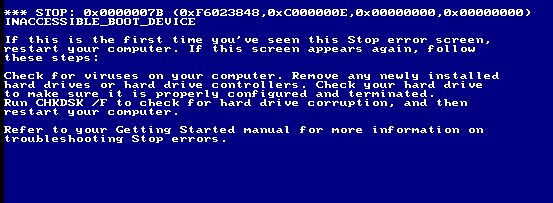
 Demarrer un Windows 2000 sur VMWARE (BSOD)
 Répondre avec citation
Partager